

Service Area SEO: How to Rank in Nearby Towns Without a Physical Office There


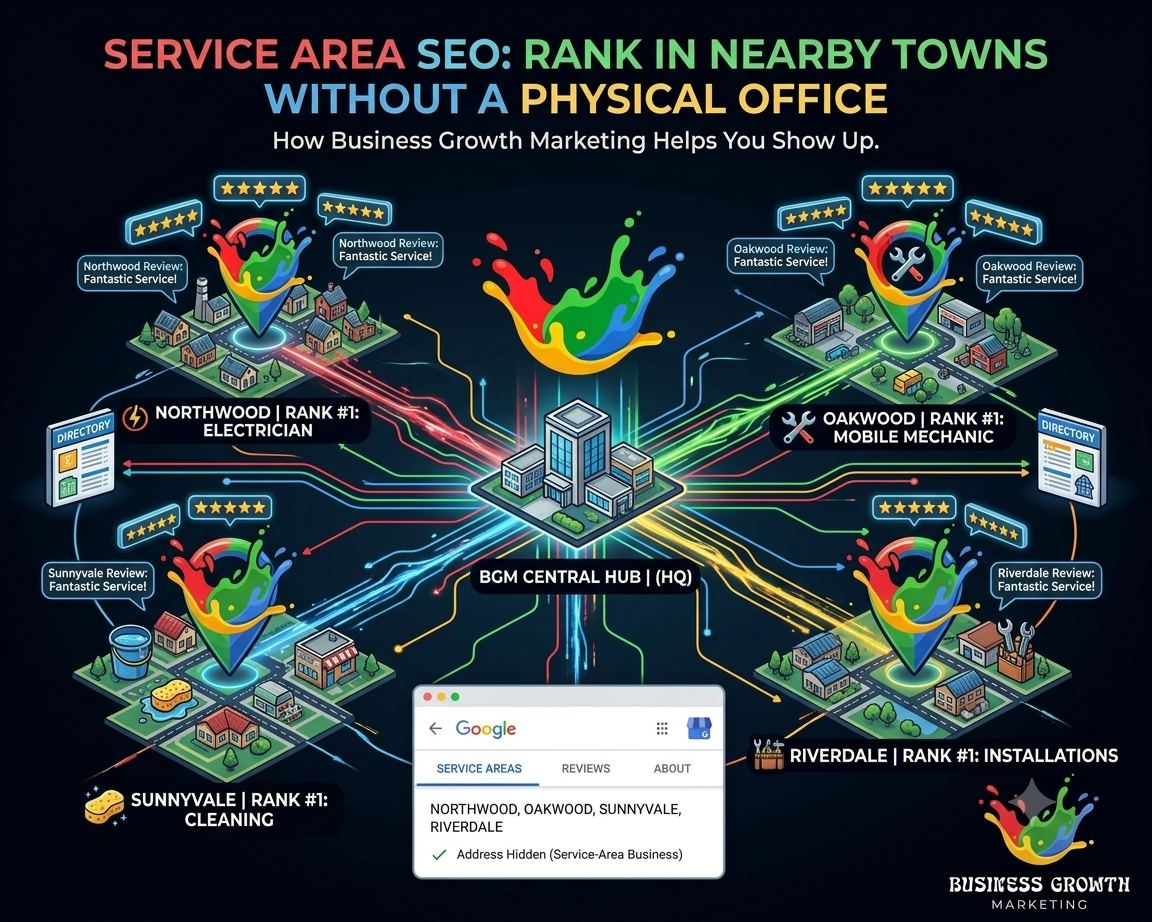
Do you want to rank your business in a town where you do not have an office? If so, you are not alone. Millions of businesses worldwide serve customers well beyond their own address and location. Electricians, mobile mechanics, tutors, cleaners, and installers all cover towns they do not physically operate in.
On the surface, that's normal for how these businesses actually operate. But when you look deeper, it creates a specific challenge online. Since Google's local ranking system leans heavily on physical proximity, it puts businesses with multiple locations at a real disadvantage when they try to show up elsewhere.
In this article, we’ve covered exactly how to fix the problem and rank your website in the areas you want, regardless of your physical location. Start reading to explore.
Service Area SEO: What Does It Mean?
The process of optimizing your online presence to rank in towns you serve but don't operate from is called service area SEO. Search engines like Google have a specific business type for this: service area businesses. It changes how your listing and content need to be set up compared to a regular storefront.
This distinction matters more than most business owners realize. Setting up a Google Business Profile as a regular storefront when you actually work as a service area business confuses Google from the start, and the rest of your SEO struggles to compensate for it. Therefore, getting this classification early saves a lot of wasted effort and time.
Why Physical Address Still Matters for Service SEO
Even if you run a service-area business, a physical address still plays a significant role. It's one of Google's clearest trust signals, even for a business that doesn't operate in the area where it offers its services.
Google wants to know where your business is genuinely based, even if it does not display that address publicly. Get this part wrong, and everything built on top of it struggles to rank properly.
Why Ranking Outside Your Home Base Is Challenging
Alongside relevance and prominence, Google weighs proximity as one of its three core local ranking factors. A business located three kilometers from a searcher has a built-in advantage over one located twenty kilometers away. Even if the latter business is objectively better at the job.
Google simply optimizes for what most searchers want, which is usually the closest reasonable option. Now, the challenge for a service-area business is proving it deserves to compete. The fix is not fighting the Google algorithms. It’s giving enough town-specific relevance and prominence to outrank the local business. The rest of this guide will show you how to do that.
Setting Up Google Business Profile as a Service Area Business
Setting up your Google Business Profile correctly is the foundation on which everything else builds. Remember that getting this step wrong undermines every other tactic we are going to discuss before you have even started.
How to Add Service Areas Correctly
Google allows users to list specific service areas without displaying a public address. This setting needs to be enabled, not left at the default storefront setting. Add each town by name and keep the list realistic. Avoid listing areas you rarely actually serve just to appear bigger.
Leave off anything that misrepresents where you are actually based. That means no fake storefront address, no PO box listed as a location, and no virtual office rented purely to look local. Google actively penalizes these tactics once they are spotted.
The table below shows you exactly where the line is drawn.
| Setup Approach | How It Works | Google’s Response |
|---|---|---|
| Genuine service area business setup | Real base address hidden, service towns listed by name. | Fully supported. Correct approach. |
| Fake or rented address in the target town | Address shown publicly with no real operation there | Suspended once flagged. |
| PO box listed as business address | No physical presence behind the address | Against Google's guidelines, high suspension risk |
| Multiple real branches. Each has a separate listing. | Each location genuinely staffed and operating. | Fully supported, but only if each branch is real |
Building Town-Specific Pages That Actually Rank
One generic page trying to cover every town you work in simply can't do the same job. Instead, a dedicated page for each town gives Google exactly what it needs to match that specific search.
Why One Generic Service Page Isn't Enough
A single "Areas We Serve" page that lists ten towns in one paragraph doesn't help you rank for any of them. Google has nothing specific to match a search for one particular town.
Moreover, a potential customer wants to see their town mentioned directly, not buried in a list alongside nine others. For example, someone typing "electrician in Worcester" expects to see proof you actually work in Worcester, not a hint that you might drive out there if asked.
What Each Specific Town Page Should Include
Each service page needs enough location-specific substance to feel genuinely built for that town, not copied and swapped. Include the following information on each service page:
- The town name in the page title, headings, and opening paragraph
- A mention of specific suburbs or landmarks within that town. Only where relevant
- Any past work completed in that town, even briefly described
- Local contact details or a clear response time for that area
- A call to action specific to booking work in that town
Getting Reviews From Customers in Each Town
A review that mentions the town by name or comes from a reviewer whose profile shows that location adds a layer of local relevance that a generic review cannot provide. A cluster of reviews from one town builds a much stronger local signal than the same number spread thinly across many towns.
Over time, this cluster becomes one of the clearest proofs Google has that you're genuinely active in a service, not just listing the town to make it look bigger. Ask for a review right after finishing a job in that town, while the experience is still fresh. However, avoid asking every single customer to mention their town by name, as reviews that all follow the same script may appear manufactured rather than genuine.
Get Your Business Listed Where It Actually Counts
Getting listed in the right directories helps you establish a presence in a town without having to rent space there. Prioritize directories that are genuinely used and trusted in each specific town.
This includes local chamber of commerce listings, regional business directories, and any community platform with real local traffic. These carry far more weight than generic, low-quality directory sites built purely for links.
Common Mistakes Businesses Make Targeting New Towns
A few mistakes recur, and each one quietly undermines the work already done in the steps above. Here is a list of mistakes and their consequences to help you avoid them:
| Mistake | Why It Hurts | Better Approach |
|---|---|---|
| Copying one service page and swapping only the town name | Reads as thin, duplicate content to Google | Write unique, town-specific content for each page. |
| Listing every nearby town regardless of actual coverage | Dilutes relevance and looks inflated | List only towns genuinely served regularly. |
| Ignoring reviews from a specific town for months | Weakens local trust signal over time | Request reviews consistently |
| Signing up for dozens of low-quality directories | Wastes time with no ranking benefit | Signing up for dozens of low-quality directories |
Frequently Asked Questions
How many towns can I realistically target with the service area SEO approach?
It depends on how much unique content and reviews you can genuinely sustain per town. Note that five well-built town pages with real reviews will outperform fifteen thin ones every time, so start smaller and expand once each town shows real traction.
How long does it take for a new town page to start ranking?
Most town pages take a few months to gain meaningful traction, similar to standard local SEO timelines. However, reviews and directory listings from that town tend to speed this up noticeably.
Do I need a local phone number for each town I target?
Although it isn't required, a local number can help build trust and track calls. It matters far less than the town-specific content, reviews, and listings covered above.
Show Up Where You Work, Not Just Where You're Based
Ranking your business in a town without an office is not about tricking Google. It is about proving, through the right profile setup, dedicated pages, reviews, and listings, that your business genuinely serves that area actively. Start by implementing service-area SEO across a handful of towns, and you'll start showing up exactly where your next customers are already searching.
If juggling service area SEO across multiple towns feels like more than you can manage while actually doing the work, we can help. Business Growth Marketing Group's Job Map Pinning service is built exactly for this. It pairs naturally with our broader Local SEO work for quicker results. Get in touch with us, and let's get your business ranking in every town you serve.
More Recent Blogs